

Custom Applications and Configurations for Intune: Built for Your Customers
Your customers need more than standard apps and settings. Discover how Plentics prepares, tests and maintains custom applications and configurations for Microsoft Intune, helping MSPs reduce manual work, simplify onboarding and deliver a consistent experience across Windows and macOS.
From 50 Minutes to 5 Minutes: How Receptum Accelerated Customer Tenant Configuration With Plentics
Receptum reduced Microsoft Intune tenant configuration time by 90%, from 50 minutes to just five. Discover how Plentics Tenant Management helped streamline the deployment of configurations across 550 customer environments while enabling more efficient, centralized management and standardization.
Plentics Mobile Capabilities: Standardized Mobile Device Management for MSPs
Managing mobile devices across multiple customer tenants doesn’t have to mean separate tools and inconsistent configurations. Discover how Plentics Mobile Suite helps MSPs standardize Android and iOS management, security, analytics, and device lifecycle operations on top of Microsoft Intune.
Saminarium for MSPs 2026 — Recording, Key Takeaways & MSP Pulse Results
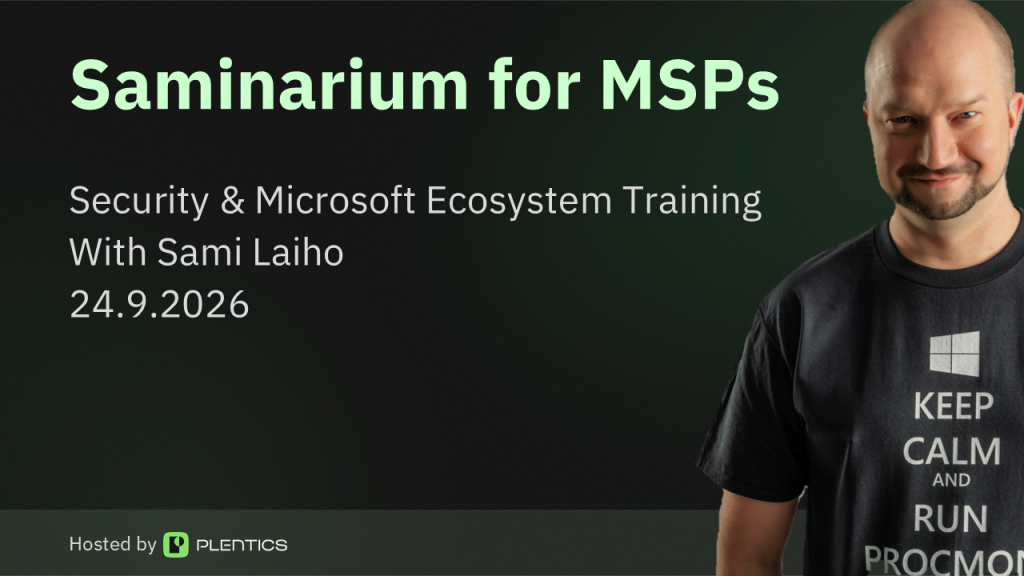
Watch the Saminarium for MSPs 2026 recap and full recording, explore five key takeaways for 2027, and see what the live MSP audience said about capacity, visibility and AI.
Entra ID SMS and Voice Authentication Retirement

Microsoft Entra ID is retiring native SMS and voice authentication. Learn the key dates, what the temporary opt-out means, and how MSPs can manage the transition across multiple customer tenants with Plentics.
Pinja: Standardized and Scalable Intune Services for Modern MSP Delivery
Pinja uses Plentics Suite to standardize and scale Intune-based endpoint management across customer environments. Automated application management and multi-tenant efficiency reduce manual work, support smoother Windows Autopilot deployments, and help Pinja deliver more cost-efficient Microsoft managed services.
Somic Standardizes Microsoft Customer Environments with Plentics
For Somic, Plentics Suite is not only about internal efficiency. It also improves the service experience for Somic’s customers.
“Plentics helps us keep our customers’ Microsoft environments secure, standardized, and under control. This means fewer risks, faster response times, and a better overall service experience, without customers needing to worry about the technical details behind the scenes,” says Markus Torkki, CEO of Somic.
For the end customer, the value is simple: better control, fewer risks, and a smoother service experience.
Intune Multi Admin Approval: Workflows, Updates, and Exclusions
Microsoft Intune Multi Admin Approval (MAA) adds four-eyes approval for critical administrative actions. Learn how it works, what changed with Graph API automation, why third-party patch management solutions are affected, and how to configure exclusions for trusted applications.
Technical Talk – Secure Boot Certificates Expire in 2026 – How to Stay Protected with Intune at Scale
Secure Boot certificates issued in 2011 are expiring in 2026. While affected devices will continue to run, they’ll be left without critical boot-level security updates. Discover how MSPs can leverage Microsoft Intune to track visibility and deploy certificate updates seamlessly across multi-tenant environments
Plentics Sponsors the Workplace Ninja User Group Finland – Finland Meets World Edition
Plentics is proud to support the Finnish endpoint management community, Workplace Ninja User Group Finland, as a sponsor of the upcoming Workplace Ninja User Group Finland “Finland Meets World Edition” event, taking place on 26.–27.11. at Metropolia University’s Myllypuro campus in Helsinki.
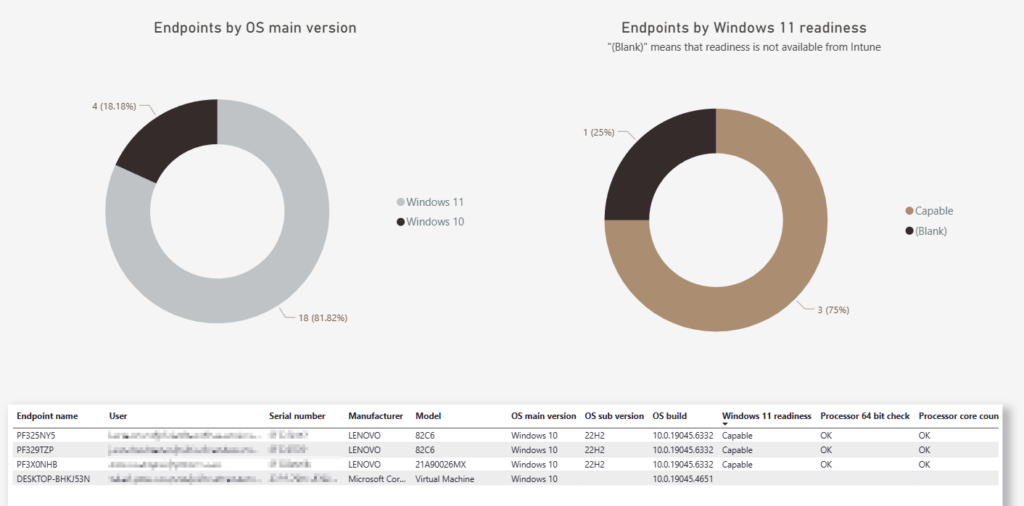
Technical Talk – Preparing MSPs for Windows 11 25H2 with Plentics Suite
This cutting-edge feature not only reduces the need for manual configuration but also minimizes the risk of human error, providing a standardized, fast, and error-free setup process.
Technical Talk – Can You Copy an Intune Tenant? – Yes, We Can

This cutting-edge feature not only reduces the need for manual configuration but also minimizes the risk of human error, providing a standardized, fast, and error-free setup process.