
Posts

Category: Feature Highlights

Filters 

Categories
  • Customer Stories
  • Feature Highlights
  • News
  • Tech Talks
Tags
  • Analytics
  • Android Management
  • Application Deployment
  • Application Management
  • Application Packages
  • Application Patching
  • Application Testing
  • Automation
  • Backup & Restore
  • BitLocker
  • Board Appointment
  • Business Growth
  • Certification
  • Change Management
  • Cloud-Native Management
  • Community
  • Company Development
  • Configuration Baselines
  • Configuration Comparison
  • Configuration Drift
  • Configuration Governance
  • Configuration Management
  • Configuration Packages
  • Consent Link
  • Cost Efficiency
  • Customer Onboarding
  • Customer Reporting
  • Customer Success
  • Device Data
  • Device Groups
  • Dynamic Alerts & Reports
  • Dynamic Endpoint Filtering
  • Endpoint Analytics
  • Endpoint Management
  • Endpoint Security
  • Endpoint Visibility
  • European Market
  • European Union
  • Events
  • Independent Assessment
  • Information Security
  • International Growth
  • Intune Standardization
  • iOS Management
  • ISO/IEC 27001
  • Leadership
  • Least Privilege
  • Local Administrator
  • Long-Term Partnership
  • macOS Management
  • Managed Services
  • Microsoft 365
  • Microsoft Intune
  • Mobile Device Management
  • MSP Scalability
  • Multi-Tenant Management
  • NIS2
  • Operational Efficiency
  • Partner Collaboration
  • Pilot Groups
  • Proactive Monitoring
  • Proactive Support
  • Product Development
  • Quality Assurance
  • Recovery Keys
  • Remote Management
  • Secure Boot
  • Security & Compliance
  • Security Management
  • Service Desk
  • Service Quality
  • Standardized Service Delivery
  • Tenant Copy
  • Tenant Management
  • Third-Party Applications
  • Troubleshooting
  • Vulnerability Management
  • Webinar
  • Windows 11
  • Windows Management
  • Windows Readiness
  • Windows Update
  • Workplace Ninja

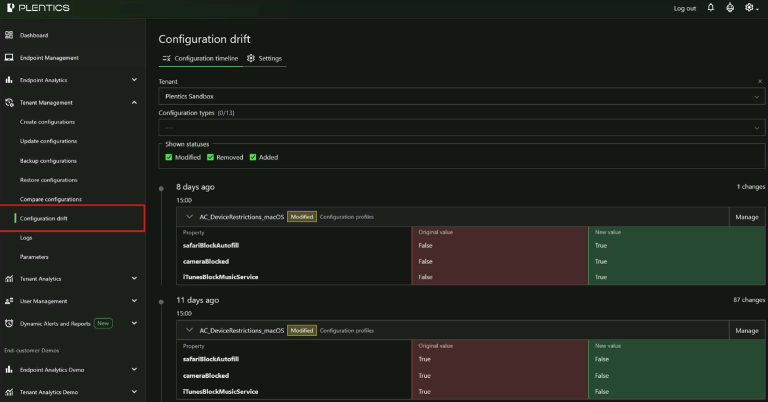
Feature Highlight: Configuration Drift Control

Configuration Drift Control helps MSPs automatically detect, review, and remediate unauthorized or accidental configuration changes across customer tenants. Maintain approved baselines, receive email notifications, and review tenant-specific change history from a centralized view.
YellowKey BitLocker mitigation now easier to deploy across MSP environments

YellowKey highlights why MSPs need a faster way to turn urgent endpoint security guidance into controlled action across every customer environment. With the Microsoft mitigation script now available as a ready-made Plentics Configuration Package, MSPs can reduce exposure to CVE-2026-45585 without manual tenant-by-tenant work.

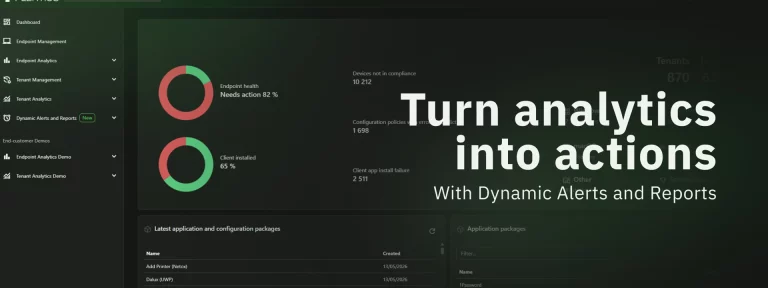
Feature Highlight: Plentics Suite Now Has New Dynamic Alerts and Reports Feature

Plentics Suite now makes it easier for MSPs to turn their customer data into timely action. With the new Dynamic Alerts and Reports feature, partners can create and manage analytics-based alerts and scheduled customer reports directly in the UI — helping teams stay proactive, reduce manual reporting work, and keep customers better informed across every managed Microsoft Intune environment.

Plentics February 2026 Release: Configuration Backup & Restore for Modern MSP Tenant Governance

Microsoft tenant configurations are constantly evolving — through policy updates, security adjustments, and operational changes. At the same time, customers increasingly expect traceability, recoverability, and control over configuration drift. The February 2026 Plentics Suite release introduces powerful Backup and Restore capabilities that enable MSPs to safeguard, replicate, and restore tenant configurations with confidence — and formalize configuration governance as a service.

Plentics Suite December 2025 Release: Instant and precise patching for 3rd-party apps — without the manual work

The December 2025 Plentics Suite release introduces a major improvement to Endpoint Management: a new way to automatically update third-party applications only on devices where the app is already installed. This removes the need for complex assignment logic and manual targeting — while keeping full control. Keeping third-party applications up to date is a constant requirement for MSPs, but it should not be a constant source of manual effort. Especially during new tenant onboarding, setting up patching should be easy and quick to implement.

Plentics Suite November 2025 Release: Compare Configurations Across Tenants, Spot Differences Instantly

For cloud‑native MSPs, the Plentics Suite November 2025 release introduces Compare Configurations — a fast way to validate baselines across tenants, spot missing or differing settings with clear green/yellow/red indicators, and drill into JSON diffs.

Fall 2025 Release Recap: Faster Multi‑Tenant Control for Intune MSPs, Endpoint Analytics with Business Context, and Windows 11 Readiness

These fall releases continue our focus: reduce manual work for cloud‑native MSPs and make multitenant operations for Microsoft 365 and Intune environments easier to manage and scale. The latest releases bring upgraded Tenant Management, business‑contextual Endpoint Analytics, and a dedicated Windows 11 Readiness view — plus refinements that improve daily flow.

Plentics Suite Release: Windows 11 Readiness and Smarter Endpoint Analytics

The September 2025 Plentics Suite release introduces a dedicated Windows 11 readiness page and improved Endpoint Analytics automation. These updates give Managed Service Providers clearer insights, stronger scalability, and better margins by shifting time from repetitive tasks to billable, high-value services — while keeping device fleets continuously validated for compliance and readiness.

Stronger tenant control, richer endpoint insights, and smoother daily operations for Microsoft 365 -focused MSPs

Running endpoint and tenant operations across dozens of Microsoft 365 tenants is never static. Every release of Plentics Suite aims to simplify, automate, and accelerate the daily work of MSPs. The latest update brings three areas of improvement designed to give endpoint and tenant management pros more precision and less overhead.

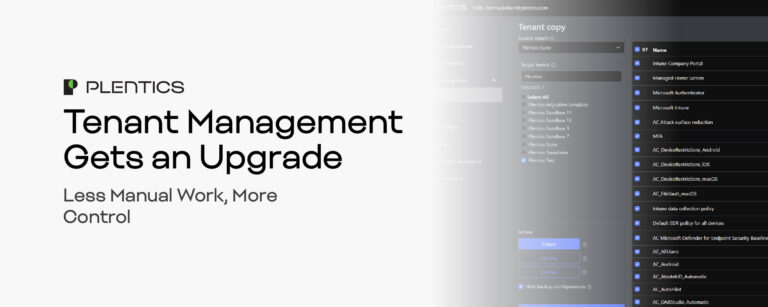
Tenant Management Gets an Upgrade – Less Manual Work, More Control

For many MSPs, keeping Microsoft Intune tenants aligned is a hidden time sink. Updating policies, replicating configurations, and ensuring consistency across multiple tenants can easily consume 50–75 hours every quarter for a 25-tenant environment. That’s time not spent on high-value services — and it increases the risk of errors and configuration drift. Plentics Suite’s new Tenant Management with Tenant Copy changes that. It centralizes critical actions into one streamlined interface, automating up to 90% of repetitive maintenance tasks so your team can deliver faster, more consistent service.

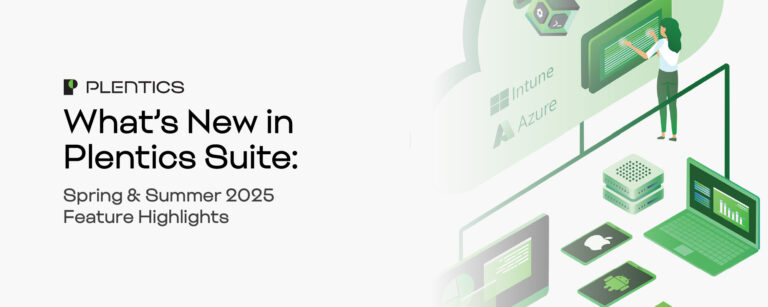
What’s New in Plentics Suite: Spring & Summer 2025 Feature Highlights

We’ve rolled out a series of powerful updates to the Plentics Suite — designed to improve multitenant management, reduce licensing friction, and enhance visibility across environments

Technical Talk – Add a New Customer Tenant to Plentics in Seconds with the Ease of Consent Link

With the latest update to Endpoint & Tenant Suite, adding a new customer tenant is now faster, easier, and more secure than ever -thanks to Consent Link.