

In August we wrote about Entra ID SMS and Voice Authentication Retirement. Since then, Microsoft has started automatically migrating users from SMS and voice authentication methods to Passkey authentication. The final step is the complete retirement on February 1st, 2027, when native Microsoft-provided SMS and voice authentication shuts off completely. Users who rely solely on telephony MFA will hit a mandatory, non-skippable passkey registration prompt upon sign-in.
How do you know if your customer tenants still have SMS or voice authentication methods enabled?
You can check authentication method statuses in Entra portal from each customer tenant. Review Enabled column from SMS and voice methods to see their status.
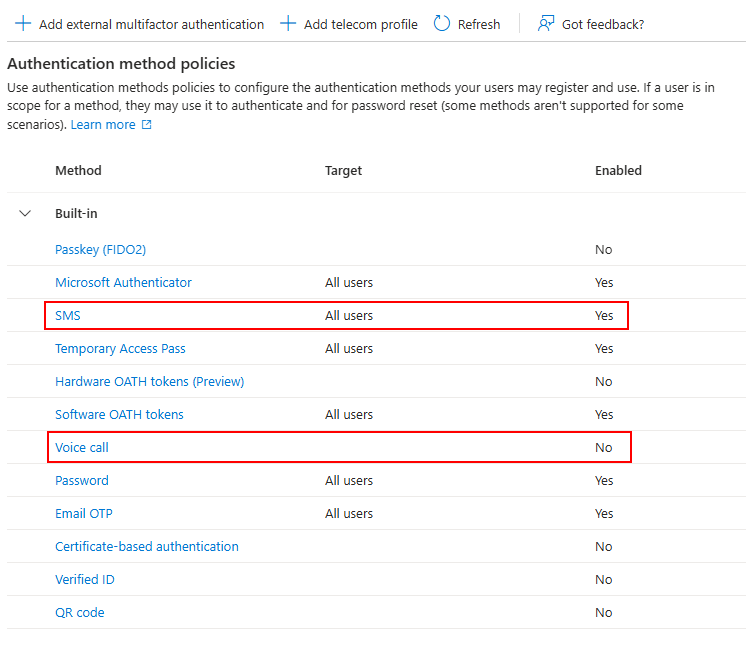
At five minutes per tenant, checking 50 tenants manually would take about 250 minutes—over four hours assuming it is done without any interruptions. Reviewing hundreds of tenants takes much longer. Plentics Tenant Management’s Compare configurations feature lets you compare these settings across all your customer tenants at once within a few minutes.
Compare configurations feature can compare selected configurations from a source tenant to multiple target customer tenants. Use the steps below to review SMS or voice authentication method statuses across all your customer tenants with a few clicks.
- Disable SMS and voice authentication methods from your template tenant in Entra portal.
- Go to Plentics and navigate to Tenant management -> Compare configurations.
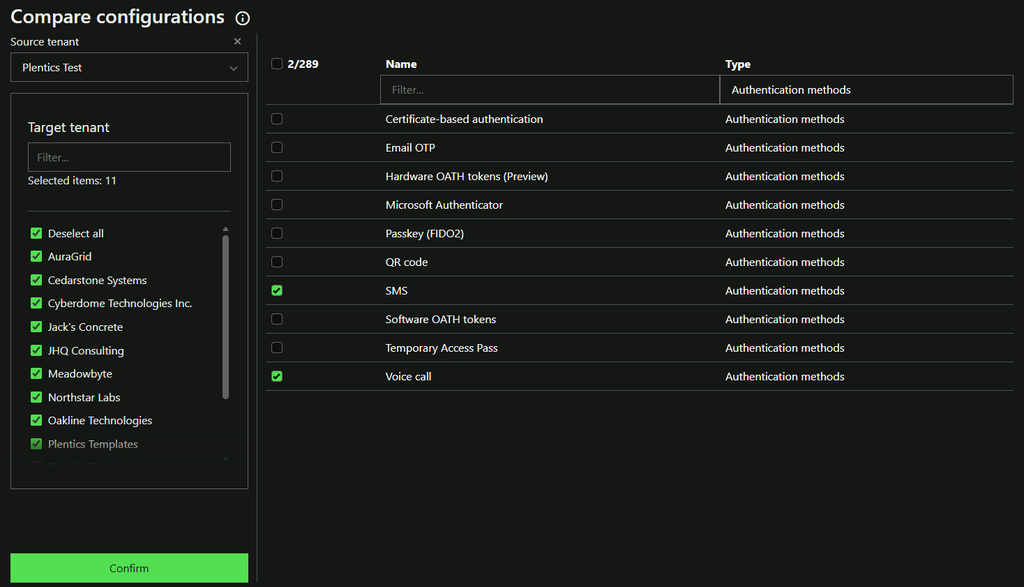
- Select your template tenant as the source tenant.
- Select SMS and voice call authentication methods from the configuration selection view.
- Select target tenants or use Select all option and click Confirm.
The output lists comparison status from all selected tenants. Ok status means that all properties match the source tenant’s settings, which means that the method is disabled in the tenant.
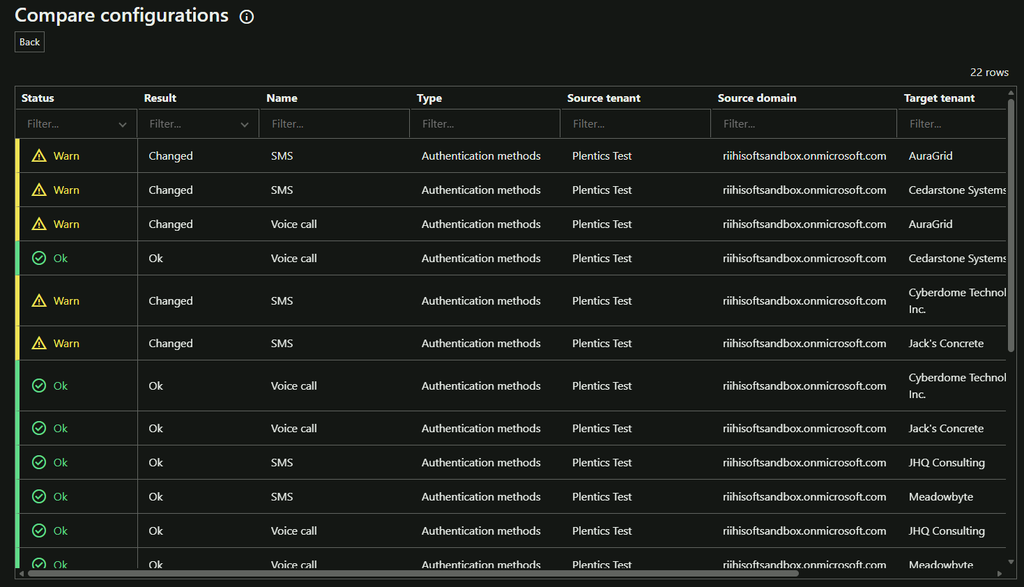
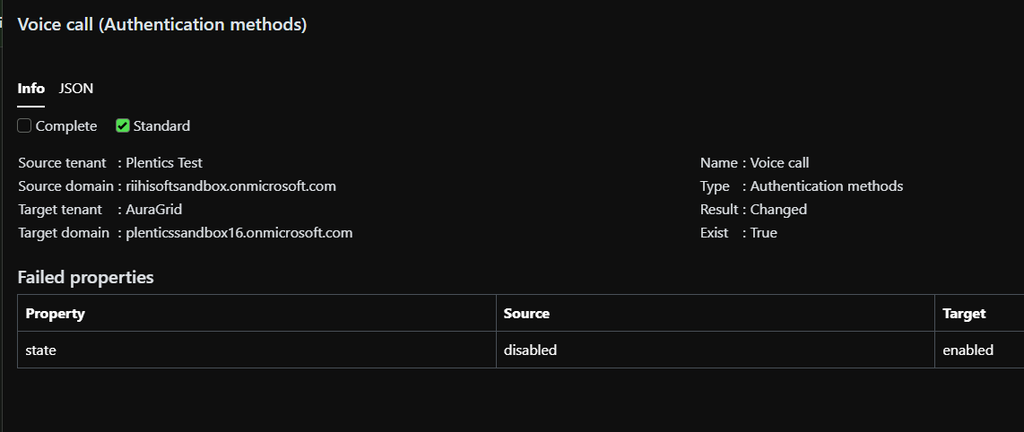
What you are looking for is tenants with warning status. Warning means some properties do not match with the template tenant. Click a row with warning status to see additional details. In the following example, we can see that the state property is disabled in the source (baseline tenant), but it is enabled in the target tenant.
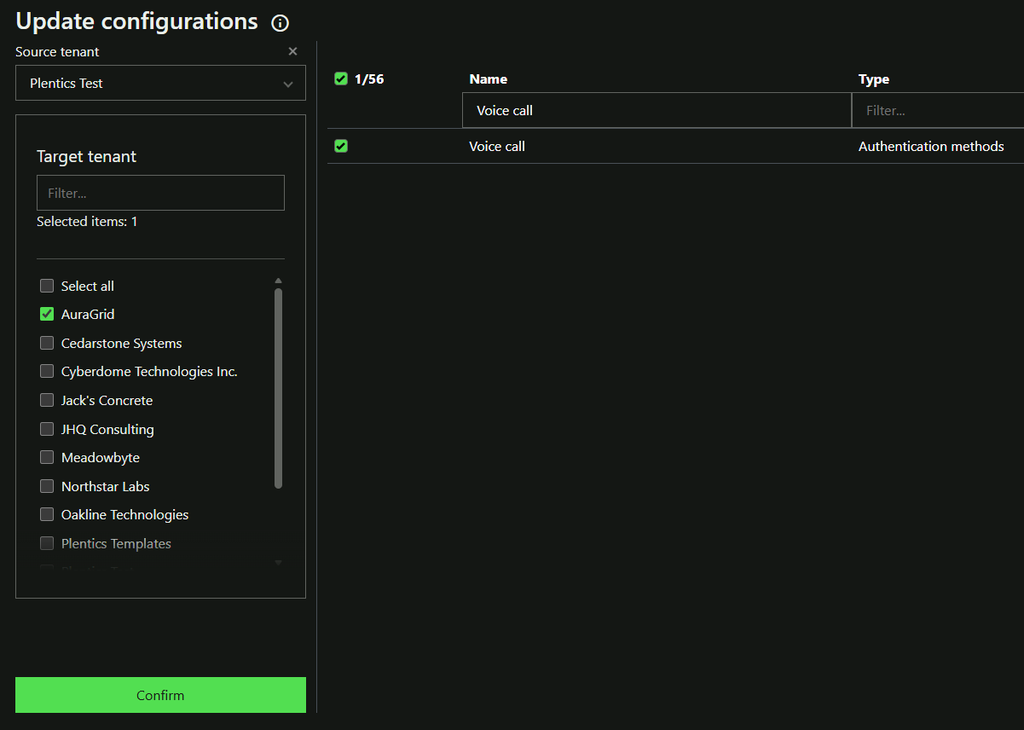
We can now use this information to disable the authentication method in the affected tenants. Navigate to Update configurations page -> select the affected tenants and authentication methods and click Confirm.
Summary
Microsoft will retire native SMS and voice authentication on February 1, 2027, and users who rely on these methods will be prompted to register a passkey. Plentics Tenant Management’s Compare configurations feature helps identify customer tenants where SMS or voice authentication is still enabled: compare them with a template tenant where both methods are disabled, then review tenants marked Warning and disable the methods for those tenants.