

Plentics Configuration Drift Control in a minute
Keep customer tenant configurations under control — automatically
In MSP environments, even small configuration changes can create significant operational and security risks. Customer tenants are often managed by multiple administrators, tools, and service processes, which means settings may be changed accidentally, without authorization, or without clear visibility.
Over time, this can lead to deviations from approved baselines, weakened security posture, inconsistent customer environments, and unnecessary troubleshooting work for service teams.
Plentics Suite’s new Configuration Drift feature helps MSPs detect, review, and remediate these changes centrally. It is designed to provide continuous visibility and control over customer tenant configurations, helping MSPs maintain baseline compliance across multiple customer environments.
What is configuration drift?
Configuration drift occurs when a customer tenant’s configurations move away from their approved, intended, or previously compliant state. A change may be intentional, accidental, unauthorized, or caused by another management process.
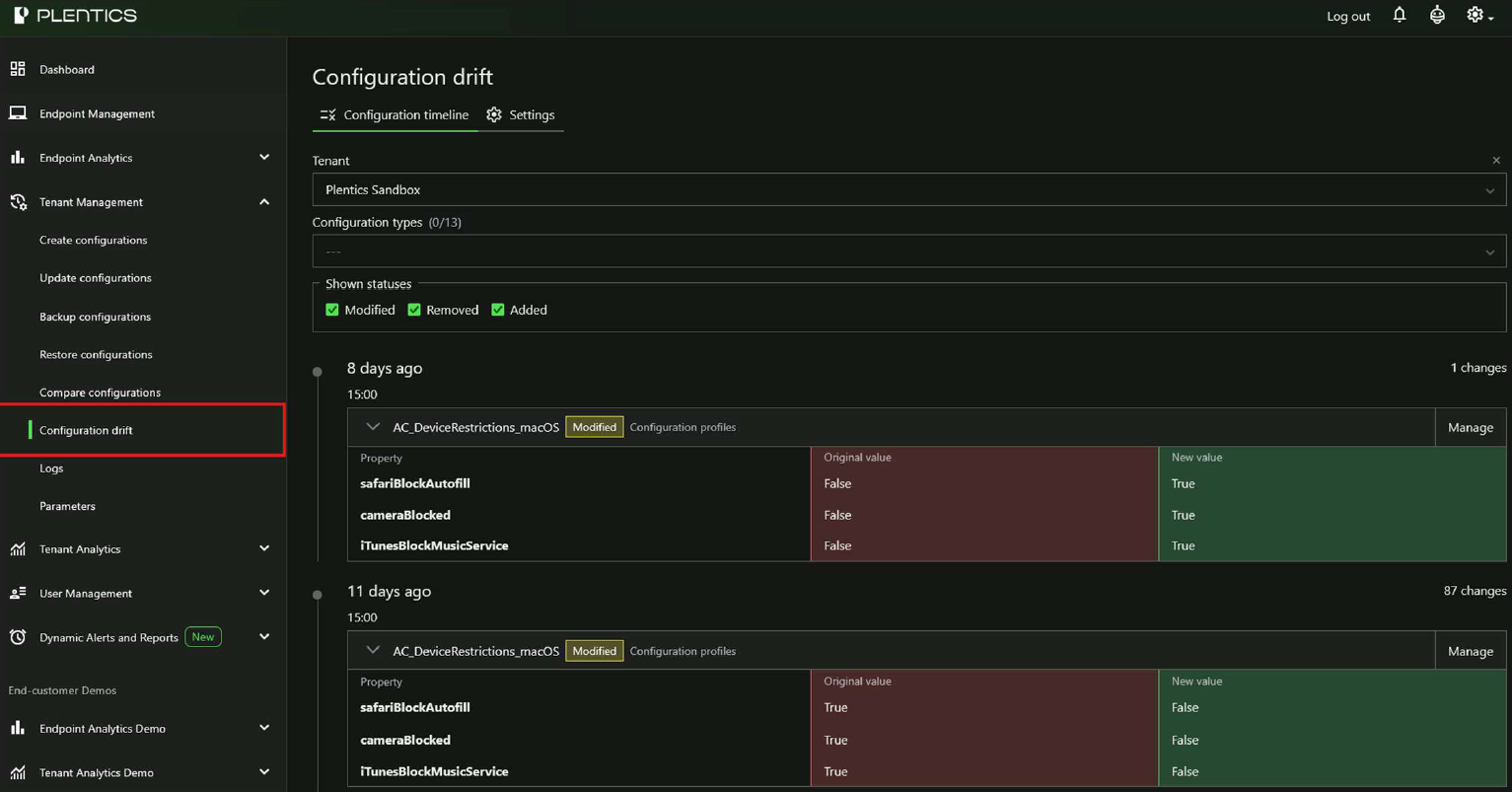
With Configuration Drift in Plentics Suite, MSPs can monitor selected configuration types, automatically detect changes, and review them from a tenant-specific drift timeline. Changes can be filtered by configuration type and status, making it easier for service teams to focus on the changes that require attention.
Key benefits for MSPs
1. Detect unauthorized or accidental changes
Configuration Drift automatically monitors supported configuration types and identifies changes made in customer tenants. This helps MSPs detect situations where settings have been modified outside the agreed process or no longer match the expected baseline.
2. Stay informed with email notifications
When configuration drift is detected, Plentics Suite can send email notifications to selected recipients. Notification emails include a list of detected changes across the selected tenants, reducing the need for manual checks and helping service teams react faster.
3. Review changes from a tenant-specific timeline
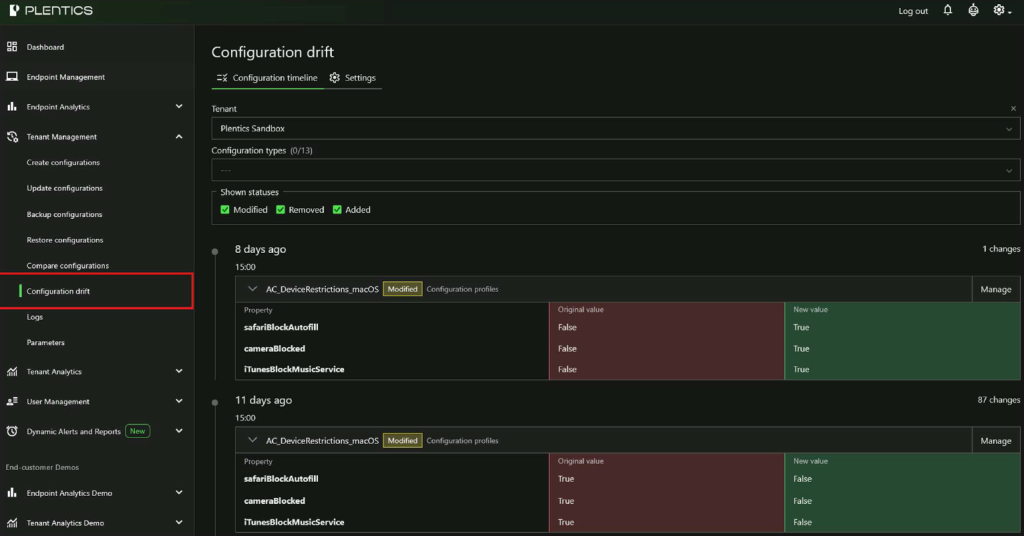
Configuration Drift presents detected changes in a tenant-specific timeline. Users can select a tenant, filter the view by configuration type or change status, and expand individual changes for detailed review.
The view displays original and new values side by side, making it easier to understand what has changed before deciding whether remediation is required.
4. Remediate drift directly from Plentics Suite
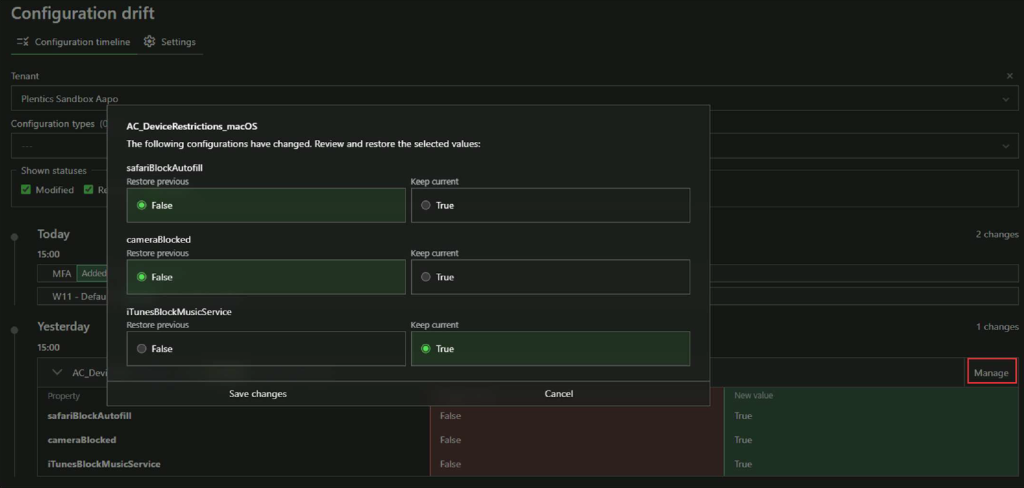
Unwanted changes can be remediated directly from the Configuration Drift timeline. By selecting Manage, users can partially or fully restore the selected configuration to its previous state.
This allows teams to correct specific changed properties without necessarily rolling back the entire configuration.
5. Scheduled monitoring and retained history
Plentics checks for configuration drift automatically every six hours, meaning scans run four times per day. Drift history is retained for 90 days, supporting change traceability and helping teams understand when and how customer tenant configurations have changed.
How it works
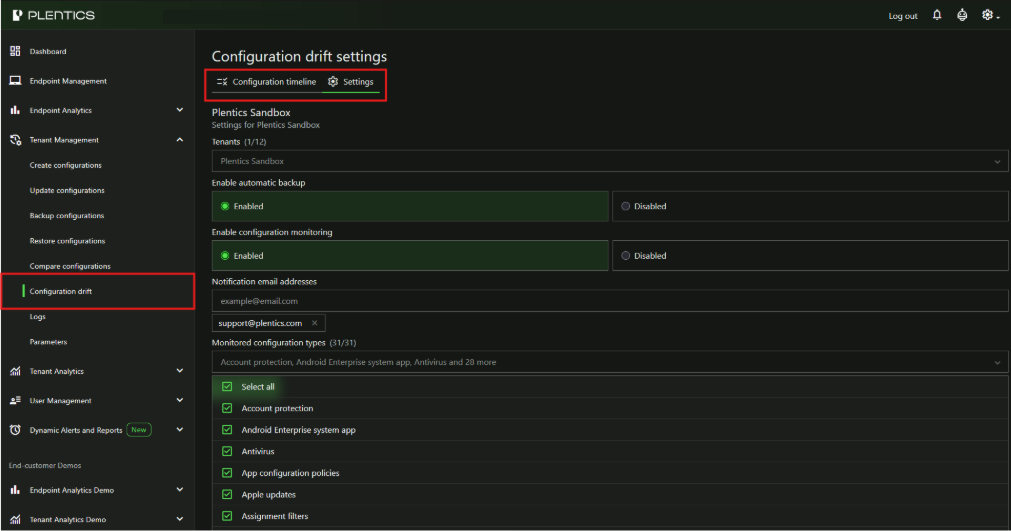
Configuration Drift is enabled from Tenant Management → Configuration drift in the Plentics Suite portal. From the Settings tab, users can select the target tenants, enable Automatic Backup and Configuration Monitoring, define email notification recipients, and choose which configuration types to monitor.
Automatic Backup creates a backup of all configurations every six hours. These backups can be used to restore multiple configurations from the Restore Configurations page. Configuration Monitoring enables the actual change detection process.
Plentics recommends monitoring at least the following key configuration types:
| Configuration type | Why it matters |
| Configuration Profiles | Core endpoint management settings where small changes may have broad impact across devices and users. |
| Compliance Policies | Important for compliance reporting, device status evaluation, and access control decisions. |
| Conditional Access | A critical security area where unwanted changes can directly affect identity and access protection. |
More supported configuration types
Alongside Configuration Drift, this release also expands the supported configuration types in Tenant Management. With this update, MSPs can now manage SharePoint Online and Entra ID configurations with Plentics Tenant Management.
Why this matters
For MSPs, Configuration Drift provides practical control over whether customer tenants remain aligned with approved configurations and security baselines. It reduces manual verification work, accelerates detection of unwanted changes, and gives service teams a direct way to remediate drift when needed.
By continuously monitoring baseline-critical configurations, MSPs can deliver a more proactive, standardized, and auditable managed service across multiple customer environments.
Suggested call-to-action
Start monitoring configuration drift across your customer tenants. Open Plentics Suite, go to Tenant Management → Configuration drift, enable monitoring from the Settings tab, and select the tenants and configuration types you want to track.