
What's new
Automatic 3rd-party app updates — only where they belong
When creating or editing an application assignment, you can now enable the option:
“Apply only to endpoints with this app installed.”
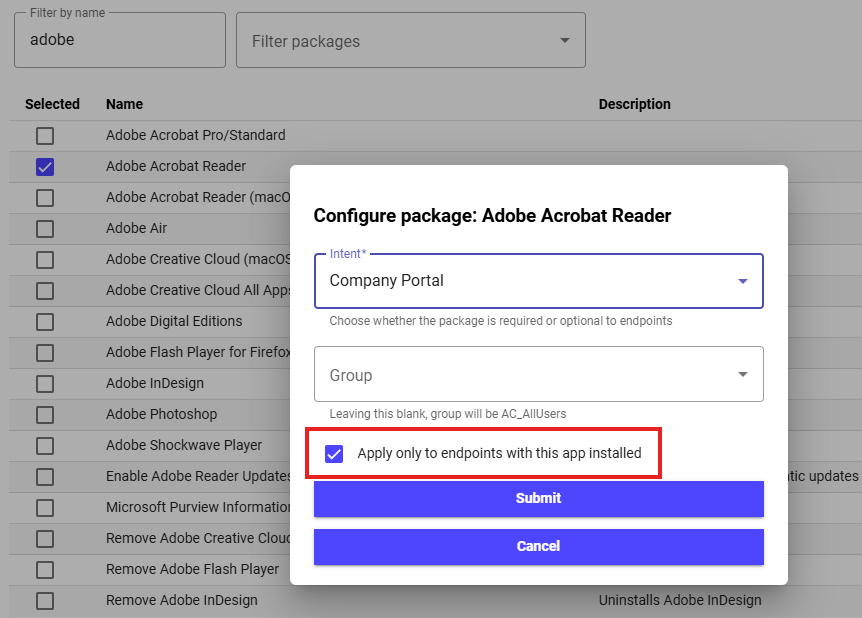
With this setting enabled, Plentics Suite ensures that:
- Implementing 3rd party patching is quick and effortless.
- Updates are deployed only to endpoints where the application already exists.
- No manual assignment groups or targeting rules are required.
- Patch deployments stay clean, predictable, and low risk.
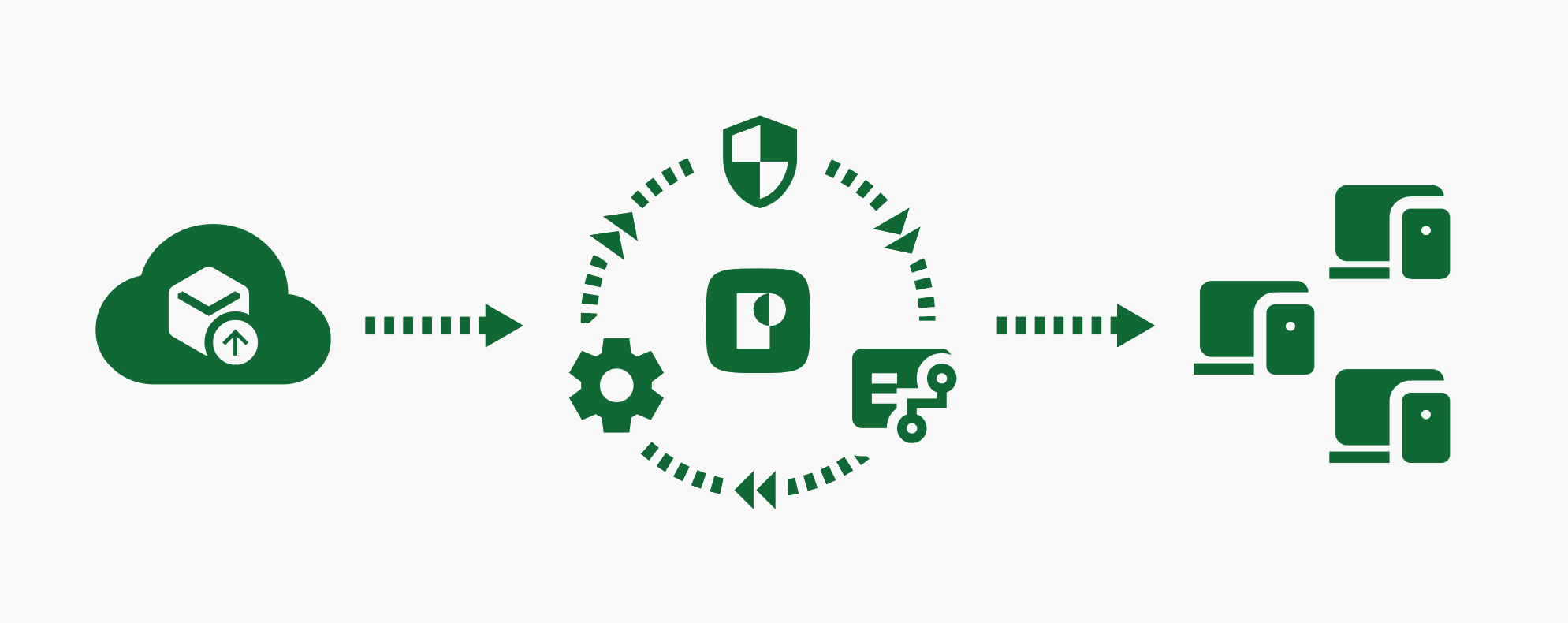
The feature supports both automatic deployments (required) and Company Portal–based targeting (available), making it flexible across different MSP operating models.
Under the hood, this is powered by an Intune requirement rule script that Plentics Suite manages automatically. If an application package changes (for example, the executable name is updated) Plentics Suite updates the requirement logic in Intune accordingly, without extra work from the MSP.
In practice, this means:
When onboarding a new tenant, you can enable patching of third-party apps instantly and effortlessly — without wasting time on complicated assignment group setups.
Why this matters for MSPs
This release removes one of the most common friction points in Intune-based application management:
-
Faster onboarding:
Start patching immediately without designing tenant-specific targeting logic. -
Lower operational risk:
Updates apply only where relevant — no accidental installs, no unnecessary exposure. -
Less manual work, better margins:
Standardized, automated assignments free up time for billable and higher-value work. -
Scales cleanly across tenants:
One consistent approach that works the same way for every customer environment.
This is exactly the kind of automation MSPs need to scale Intune operations without scaling complexity.
New: Endpoint Analytics Demo for customer-facing demos
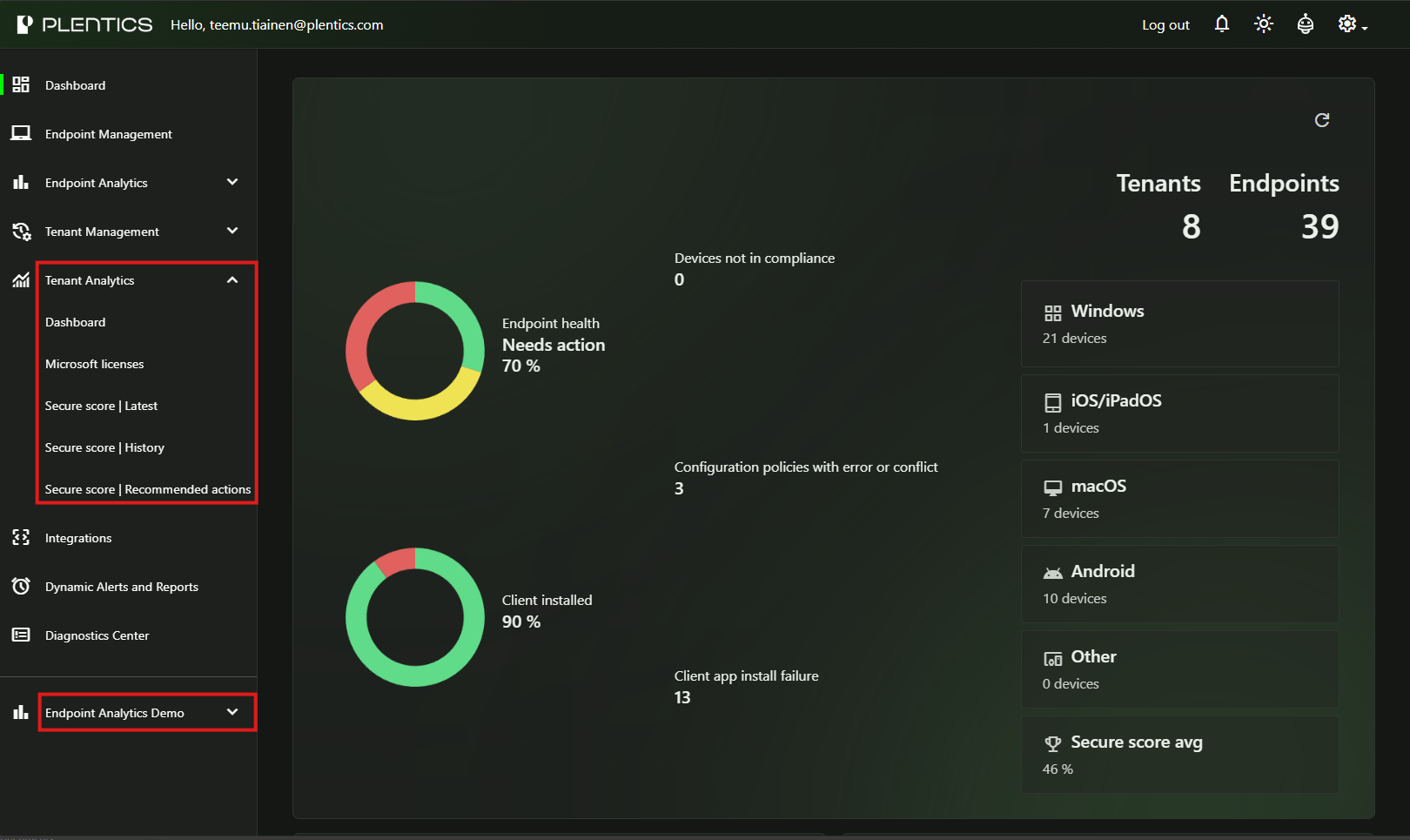
This release also introduces Endpoint Analytics Demo, allowing MSPs to demonstrate Endpoint Analytics reports using demo data instead of real customer data. The demo environment mirrors real-world scenarios and structure, but contains no live or customer-specific information — making it safe to use in sales meetings, workshops, and customer reviews.
For MSPs, this removes friction from conversations with prospects. Instead of explaining analytics in abstract terms, you can clearly show how reports, readiness views, and insights look in practice — without any data privacy or confidentiality concerns. This makes it easier to communicate value and move discussions from explanation to adoption.
Additional improvements in this release
Alongside the application assignment enhancement, this release also includes:
- Improved navigation: Endpoint Analytics and Tenant Analytics reports are now directly accessible from the navigation bar
-
Updated Plentics Suite landing page using the new UI components
- Tenant Management UI updates, improving consistency and maintainability
Ongoing improvements to automation, scalability, and error handling
Getting started
The release is live as of December 18, 2025. If the update does not appear immediately, please refresh your browser.