

Feature Detail 
- Tenant Management

Plentics Tenant Management

Simplify setup and management from a single place

Create reusable configurations with ease

  • Lorem ipsum dolor sit
    amet, consectetur adipiscing elit. Ut et massa mi. Aliquam in hendrerit urna. Pellentesque sit amet sapien fringilla.
  • Mattis ligula 

    consectetur, ultrices mauris. Maecenas vitae mattis tellus. (Transparency, MSP-scale, multi-tenant context
  • Read more about creating templates >

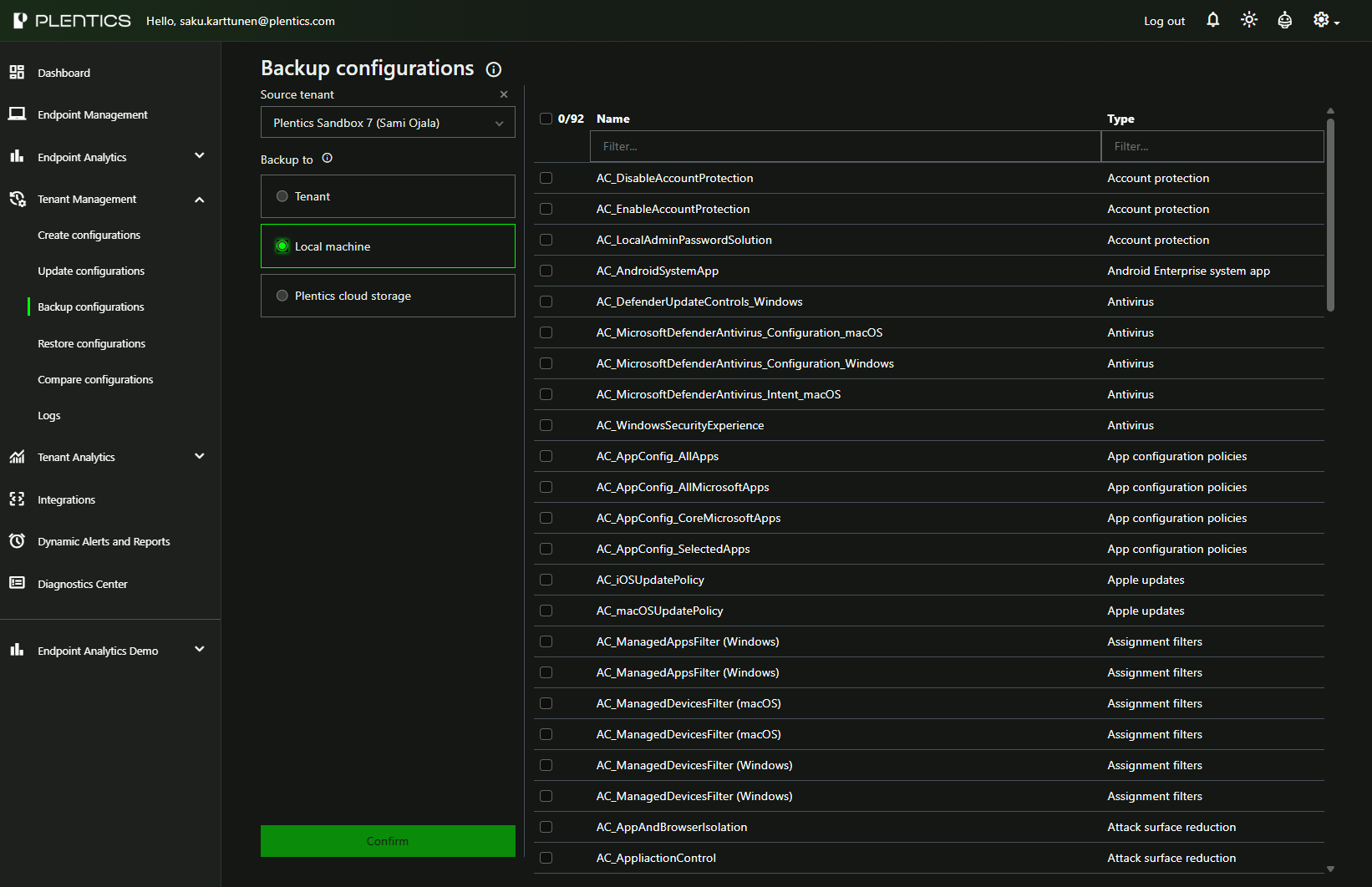
Handle backups safely across all tenants

  • Lorem ipsum dolor sit
    amet, consectetur adipiscing elit. Ut et massa mi. Aliquam in hendrerit urna. Pellentesque sit amet sapien fringilla.
  • Mattis ligula 

    consectetur, ultrices mauris. Maecenas vitae mattis tellus. (Transparency, MSP-scale, multi-tenant context
  • How do backups work in Plentics? >

Why this matters for MSPs?

Reduce time on onboarding

Lorem ipsum dolor sit amet, consectetur adipiscing elit. Ut et massa mi. Aliquam in hendrerit urna. Pellentesque sit amet sapien fringilla, mattis ligula consectetur, ultrices mauris.

Improve consistency across tenants

Lorem ipsum dolor sit amet, consectetur adipiscing elit. Ut et massa mi. Aliquam in hendrerit urna. Pellentesque sit amet sapien fringilla, mattis ligula consectetur, ultrices mauris.

Seamless backup process

Lorem ipsum dolor sit amet, consectetur adipiscing elit. Ut et massa mi. Aliquam in hendrerit urna. Pellentesque sit amet sapien fringilla, mattis ligula consectetur, ultrices mauris.

More Information About Specific Features From Our Posts

Lorem ipsum dolor sit amet, consectetur adipiscing elit. Ut et massa mi. Aliquam in hendrerit urna. Pellentesque sit amet sapien fringilla, mattis ligula consectetur, ultrices mauris. Maecenas vitae mattis tellus. (Transparency, MSP-scale, multi-tenant context)

Somic Customer Story Banner

Somic Standardizes Microsoft Customer Environments with Plentics

For Somic, Plentics Suite is not only about internal efficiency. It also improves the service experience for Somic’s customers. “Plentics helps us keep our customers’ Microsoft environments secure, standardized, and under control. This means fewer risks, faster response times, and a better overall service experience, without customers needing to worry about the technical details behind the scenes,” says Markus Torkki, CEO of Somic. For the end customer, the value is simple: better control, fewer risks, and a smoother service experience.
Intune Multi Admin Approval: Workflows, Updates, and Exclusions

Intune Multi Admin Approval: Workflows, Updates, and Exclusions

Microsoft Intune Multi Admin Approval (MAA) adds four-eyes approval for critical administrative actions. Learn how it works, what changed with Graph API automation, why third-party patch management solutions are affected, and how to configure exclusions for trusted applications.

Feature Highlight: Configuration Drift Control

Configuration Drift Control helps MSPs automatically detect, review, and remediate unauthorized or accidental configuration changes across customer tenants. Maintain approved baselines, receive email notifications, and review tenant-specific change history from a centralized view.

How Global VoiceLink Standardized Intune Service Delivery with Plentics

Discover how Global VoiceLink transformed its Microsoft Intune service delivery by adopting Plentics, leading to faster customer onboarding and standardized environments. As the demand for consistent management of customer environments grew, Global VoiceLink faced challenges with its previous approach.

YellowKey BitLocker mitigation now easier to deploy across MSP environments

YellowKey highlights why MSPs need a faster way to turn urgent endpoint security guidance into controlled action across every customer environment. With the Microsoft mitigation script now available as a ready-made Plentics Configuration Package, MSPs can reduce exposure to CVE-2026-45585 without manual tenant-by-tenant work.

Technical Talk – Secure Boot Certificates Expire in 2026 – How to Stay Protected with Intune at Scale

Secure Boot certificates issued in 2011 are expiring in 2026. While affected devices will continue to run, they'll be left without critical boot-level security updates. Discover how MSPs can leverage Microsoft Intune to track visibility and deploy certificate updates seamlessly across multi-tenant environments